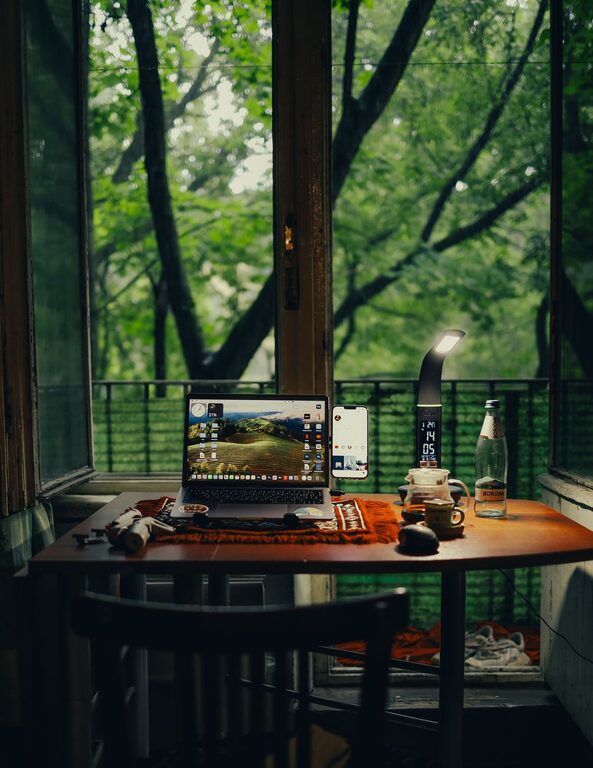
Creating a productive home workspace is essential for anyone working remotely or balancing tasks from home. A well-organized and comfortable environment can enhance focus, reduce distractions, and improve work efficiency. Whether you have a dedicated room or just a small corner, these tips will help you set up a space that supports your best work.
Choose the Right Location
Find a Quiet Spot
Pick a place in your home that is as free from noise and interruptions as possible. It could be a spare room, a nook by a window, or even a section of your dining room. Avoid high-traffic areas like the kitchen or living room where distractions are common.
Consider Natural Light
Good lighting is key to staying alert and reducing eye strain. Position your desk near a window if you can. Natural light can boost your mood and energy, but make sure to control glare with blinds or curtains.
Invest in Comfortable Furniture
Ergonomic Chair
An adjustable, supportive chair helps you maintain good posture and avoid back pain. Look for features like lumbar support and adjustable height to suit your desk.
Functional Desk
Choose a desk with enough surface area for your computer, notebooks, and other essentials. If space is limited, a wall-mounted foldable desk can be a smart choice.
Organize Your Space Efficiently
Declutter Regularly
Keep only the items you need for work on your desk. A clutter-free space helps clear your mind and minimizes distractions.
Use Storage Solutions
Shelves, drawers, and organizers can keep your papers, gadgets, and stationery in order. Label storage boxes to find things quickly and maintain tidiness.
Cable Management
Use clips, sleeves, or cable boxes to keep wires neat and avoid tangling, which can look messy and be a hassle to manage.
Optimize Technology Setup
Reliable Internet Connection
A strong and stable internet connection is crucial. If Wi-Fi signals are weak, consider using a wired Ethernet connection or a Wi-Fi extender.
Proper Screen Setup
Place your monitor at eye level to prevent neck strain. Using a second screen can increase productivity by making multitasking easier.
Keyboard and Mouse
Invest in a comfortable keyboard and mouse suited to your work style. Wireless options reduce cable clutter.
Personalize Your Workspace
Add Plants
Indoor plants improve air quality and add a refreshing touch to your environment. They can also reduce stress and increase creativity.
Display Inspiring Items
Include photos, artwork, or motivational quotes that make you feel positive and focused.
Keep Water and Snacks Handy
Staying hydrated and having healthy snacks nearby can keep your energy up throughout the day.
Develop Good Habits
Set a Routine
Start and end your work at consistent times to build rhythm and help separate work from personal life.
Take Regular Breaks
A short walk or stretching every hour can prevent fatigue and maintain productivity.
Minimize Distractions
Turn off unnecessary notifications and use noise-canceling headphones if needed.
Maintain Comfort and Air Quality
Control Temperature
Make sure your workspace stays at a comfortable temperature. Use a fan, heater, or open a window as needed.
Improve Air Circulation
Good ventilation prevents stuffiness and keeps you alert.
—
By thoughtfully designing and organizing your home workspace, you can create an environment that supports focus, creativity, and efficiency. Small changes, like improving lighting or minimizing clutter, make a big difference in your daily work routine. Start with these tips and tailor your workspace to suit your needs for the best possible productivity at home.